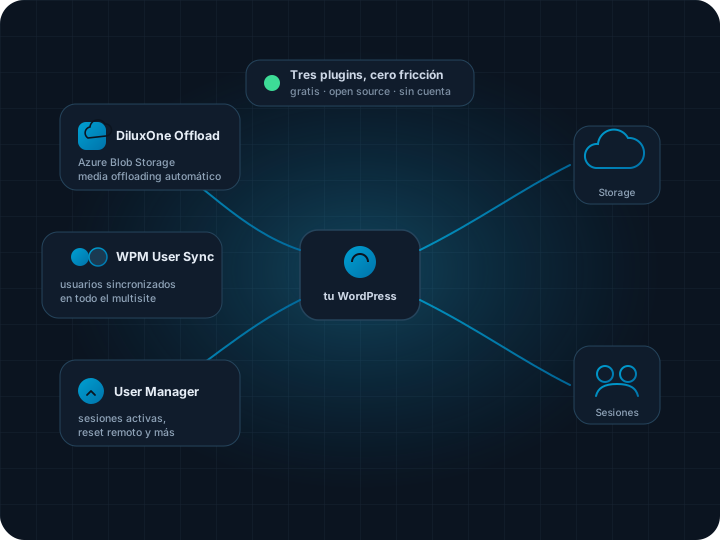
No bloated suites, no per-site licenses: one small plugin per problem, each one doing a single thing well. Cloud storage, users kept in sync across your multisite, and full control over active sessions.
DiluxOne Offload: your media stops living on the server disk and moves to Azure Blob Storage, without changing a single link in your content.
WPM User Sync: one user, one profile, created once — and available on every site of your multisite network, no manual duplication.
User Manager for WordPress: see who has an open session, close it remotely, and manage the rest of account security from one panel.
They are 100% free, open source and require no account: install them like any other WordPress plugin.
The three plugins
One per problem, not a monolith
Install the one you need and that is it: no need to activate a whole suite to use a single feature.
DiluxOne Offload - Media Storage for WordPress
Offloads wp-content/uploads to Azure Blob Storage, using your own account. New files upload on their own and URLs stay untouched: a PHP stream wrapper intercepts reads and writes, so there is no database migration and no content rewriting. Less disk, lighter backups, and a site that serves images from the cloud. View on GitHub.
WPM User Sync
For multisite installs: syncs users, roles and profile data across every site in the network, both ways and in real time. Create a person once and they already exist wherever they need to, with the right role on every site — no CSVs, no homegrown scripts, no admin having to remember to replicate the signup by hand. View on GitHub.
User Manager for WordPress
A panel to manage sessions and account security: see every active session per user, force a remote logout, lock compromised accounts and review login history. What WordPress ships without, for knowing who is actually inside your site right now.
Why three plugins and not one
Each plugin does one thing, and does it well
One giant plugin that "does everything" is harder to audit, slower to load and more likely to break something on update. These three install, update and deactivate independently.
No vendor lock-inDiluxOne Offload uses your own Azure Blob Storage account: the files are yours and you can take them elsewhere at any time.
Built for productionThey were born solving real problems on production WordPress sites, not as portfolio demos.
No account, no telemetryInstall them, configure them with your own credentials, and that is it. No data leaves toward DiluxOne.
Genuinely open sourceThe code is published; you can audit it, fork it or send a pull request.
Private preview
Need something custom?
All three plugins are free and install today straight from GitHub. If you need a feature that is not there, or support for a large install, get in touch.
Free, and no credit card.
We email you as soon as a seat opens.
Meanwhile you can keep using the open source edition.
Done — your request is registered.
You are on the private preview list. We will email you at the address you provided as soon as a seat opens.
Request number: —
Frequently asked questions
Do the plugins cost anything?
No. All three are free and open source. There is no "pro" version hiding behind a paywall, and no site limit.
Do I need a DiluxOne account to use them?
No. They install like any other WordPress plugin and are configured with your own Azure or multisite credentials. No data goes through DiluxOne servers.
Does WPM User Sync work without a multisite?
No: it is built specifically for WordPress multisite networks, where the problem of duplicated users across sites exists. It does not apply to a single-site install.
Can I request support or a new feature?
Yes: open an issue on the relevant plugin's GitHub repository, or get in touch if you need something custom for a large install.